
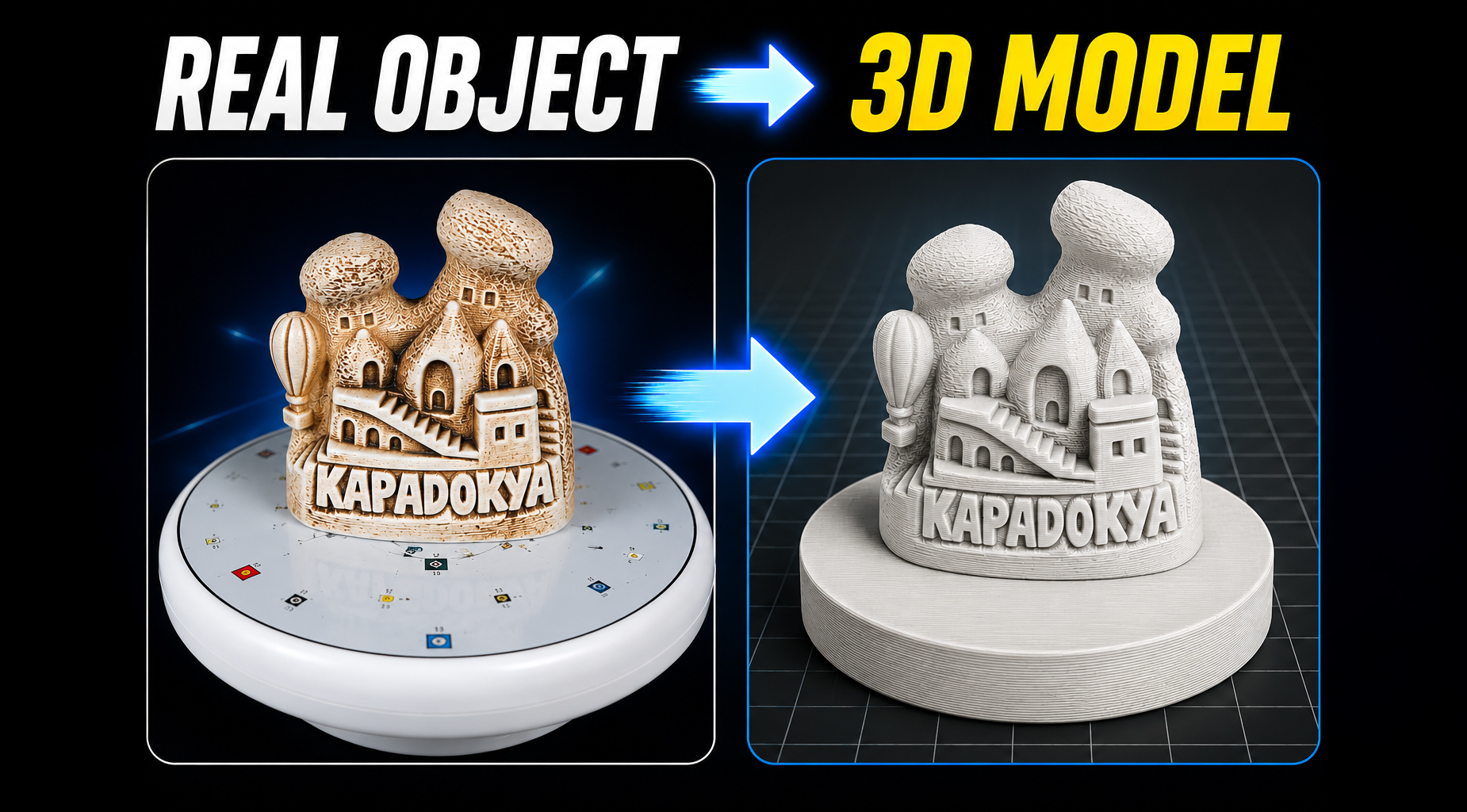

Create a 3D Model from Photos with Beykana 3D Scanner
Learning how to create a 3D model from photos is easier than ever thanks to modern photogrammetry software and smartphone cameras.
In this project, I scanned a small Cappadocia souvenir figurine and converted it into a detailed 3D model using Beykana 3D Scanner and Agisoft Metashape.
Create a 3D Model from Photos with Photogrammetry
Photogrammetry is one of the most effective ways to create a 3D model from photos without using expensive laser scanners. By analyzing overlapping images taken from different angles, photogrammetry software can reconstruct the shape and texture of a real-world object.
Popular photogrammetry applications include:
- 3D Printing
- Reverse Engineering
- Product Visualization
- Digital Archiving
- Cultural Heritage Preservation
- Game Asset Creation
Equipment Used for This Project
To create a 3D model from photos, I used the following equipment:
- Smartphone Camera
- Beykana 3D Scanner
- Rotating Turntable
- Controlled Lighting Setup
- Agisoft Metashape
The quality of the final model depends heavily on image quality and coverage.
Capturing the Photos
The first step to create a 3D model from photos is collecting a complete image dataset.
For this project:
- The object was placed on a rotating platform.
- Multiple photographs were captured around the entire model.
- Additional photos were taken from higher and lower angles.
- Consistent lighting was maintained throughout the process.
The more overlap between images, the better the reconstruction quality.
Processing Images in Agisoft Metashape
After image capture, the photographs were imported into Agisoft Metashape.
The workflow consisted of:
Align Photos
Metashape analyzes common features between photographs and calculates camera positions.
Build Depth Maps
Depth information is generated for every image.
Generate Dense Point Cloud
Millions of points are created to represent the geometry of the object.
Build Mesh
The point cloud is converted into a polygon mesh.
Build Texture
High-resolution textures are projected onto the mesh using the original images.
Final Results
The resulting 3D model successfully captured:
- Surface details
- Rock textures
- Architectural features
- Engraved lettering
The final model can be exported for:
- 3D Printing
- CNC Projects
- CAD Reference
- Digital Archives
- Game Assets
Why Use Beykana 3D Scanner?
Beykana 3D Scanner helps simplify the image acquisition process and makes it easier to create a 3D model from photos.
The application helps users:
- Organize image sets
- Capture consistent photo sequences
- Improve photogrammetry workflows
- Prepare datasets for Metashape and similar software
Conclusion
If you want to create a 3D model from photos, combining Beykana 3D Scanner with Agisoft Metashape provides an easy and reliable workflow. With proper lighting, sufficient image overlap, and good processing settings, even a simple smartphone can produce highly detailed 3D models suitable for professional and hobby projects.
Link
Learn more about Beykana 3D Scanner
Tips for Better Photogrammetry Results
Successful photogrammetry depends heavily on image quality. When capturing photos, make sure the object is evenly illuminated and remains perfectly still throughout the entire session. Avoid strong reflections, harsh shadows, and motion blur. Capturing more photographs from different angles generally improves reconstruction accuracy and helps generate cleaner meshes and textures.
For small objects such as souvenirs, collectibles, and miniatures, using a rotating turntable can significantly simplify image acquisition while ensuring consistent coverage of the entire model.
Applications of 3D Models Created from Photos
The ability to create a 3D model from photos opens up many possibilities. Digital models can be used for 3D printing, CNC machining, reverse engineering, digital archiving, virtual reality, augmented reality, product visualization, and game development. Photogrammetry has become an affordable alternative to expensive laser scanning systems, making 3D digitization accessible to hobbyists and professionals alike.
Today, anyone can create a 3D model from photos using a smartphone and modern photogrammetry software.