Beykana 3D Scanner: Easy Mobile 3D Model Creation
Beykana 3D Scanner is a mobile app built for makers, designers, and hobbyists who want to create 3D models using nothing but a smartphone camera. Instead of investing in expensive scanning hardware, you can capture a clean photo set and process it with photogrammetry software on a PC. The app’s main value is practical automation: it helps you capture consistent images, organize them into structured folders, and prepare them for reliable reconstruction.
If you do 3D printing, CNC, product prototyping, or reverse engineering, a repeatable capture workflow is often more important than a “perfect camera.” Consistency is what photogrammetry needs, and this app is designed to make that consistency easier to achieve.
Why Beykana 3D Scanner Makes Capture Easier
Most failed photogrammetry projects come down to poor image coverage, inconsistent spacing between shots, motion blur, or messy file handling. The app reduces these issues by offering a guided capture approach and automatic shooting logic. That means you focus on lighting, background, and object movement—while the phone handles the repetitive work.
Key Advantages
- Automatic photo capture with selectable intervals
- Two capture styles: Sabit (fixed) and Hareketli (moving)
- Organized folder structure for fast PC transfer
- Cleaner, repeatable image sets for photogrammetry
- A workflow designed for makers and workshop projects
Because the photos are already structured, it becomes much easier to feed them into reconstruction tools and iterate quickly when you need a better result.
Understanding the Photogrammetry Workflow
Photogrammetry rebuilds a 3D object by analyzing many photos taken from different angles. Software detects common visual features between images, estimates camera positions, and generates a point cloud that later becomes a mesh. The better your photo set, the better the geometry and texture you can get.
This is where Beykana 3D Scanner fits: it helps you create a consistent photo set that reconstruction software can align more reliably.
Sabit Mode (Fixed Scan)
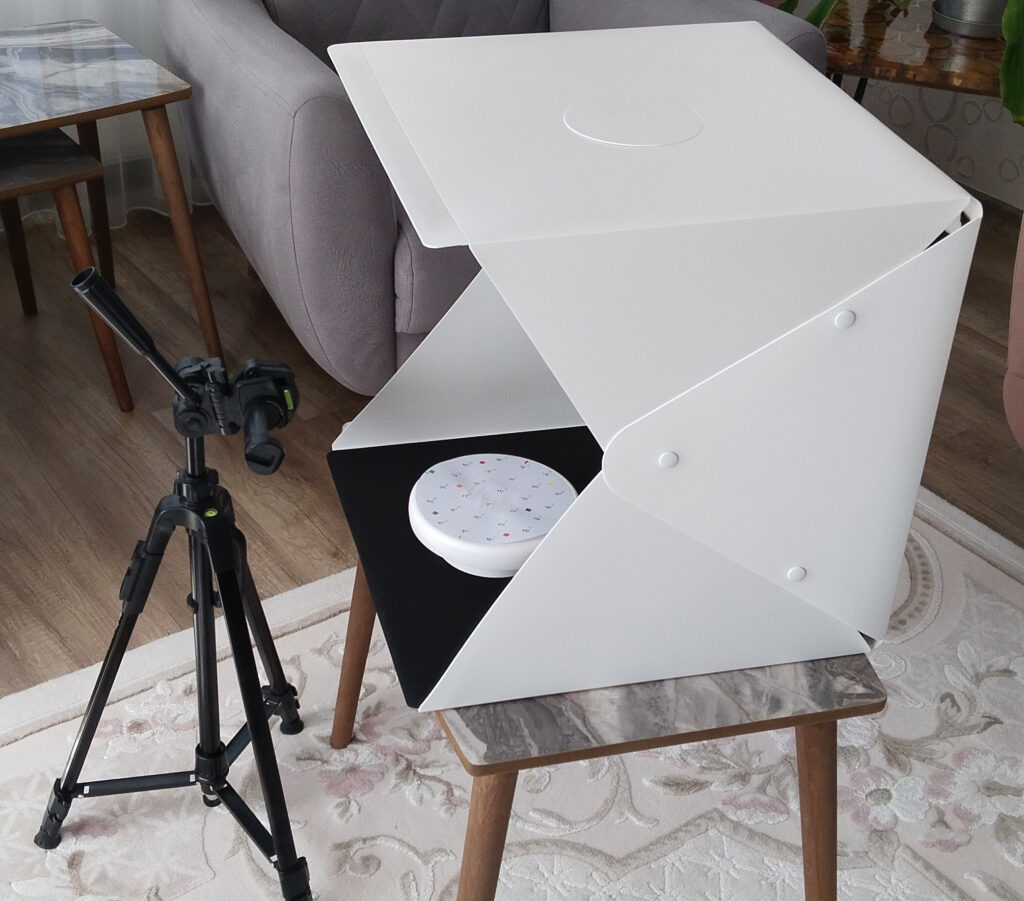
In Sabit mode, the phone stays still while the object rotates. This approach is excellent for smaller parts—like workshop components, knife handles, 3D-printable adapters, or mechanical pieces. The biggest benefit is stability: your background stays consistent and your camera distance does not change much, which improves alignment.
Practical tips for Sabit mode:
- Use a matte background with minimal reflections
- Keep lighting soft and even (avoid harsh shadows)
- Rotate the object smoothly (small increments)
- Capture multiple “rings” of photos (low, mid, high angles)
Hareketli Mode (Moving Scan)
In Hareketli mode, you move around the object while the app captures images at a constant interval. This method is better for larger objects where rotating the item is not practical. The goal is to keep a steady distance and avoid fast camera motion that causes blur.
Practical tips for Hareketli mode:
- Walk a smooth circle and keep the object centered
- Avoid reflective surfaces and glassy materials
- Make sure the object has visible texture or add temporary markers
- Do 2–3 passes at different heights for full coverage
👉 Related internal guide (maker audience): Check the Example 3D File below to explore a real 3D model generated with Beykana 3D Scanner.
Folder Structure and Export to PC
After the capture is complete, the app stores photos in organized folders so you can transfer them to a PC quickly. This is extremely helpful because photogrammetry projects often involve dozens (or hundreds) of images, and a clean folder structure reduces mistakes when importing files into reconstruction software.
Once on the PC, you can process your image set using popular tools such as:
- Meshroom
- RealityCapture
- Metashape
Each tool follows a similar pipeline: image alignment → dense point cloud → mesh reconstruction → texture baking → export.
For a general overview of photogrammetry, see: Wikipedia – Photogrammetry
Maker Use Cases and Real Workshop Value
Beykana 3D Scanner is especially useful for maker workflows where you want to digitize real objects and turn them into editable models. Typical use cases include:
- Creating 3D-printable copies of broken parts
- Reverse engineering brackets, mounts, and adapters
- Capturing handle geometry for ergonomic edits
- Building a CAD base model from a real-world object
- Rapid prototyping: scan → edit → print → test
After reconstruction, export your model (OBJ/STL) and refine it in CAD software if needed. In many real projects, scanning is the “starting point,” and CAD editing is where you finalize dimensions and clean surfaces for manufacturing.
Final Notes
If you want reliable results, focus on capture quality: stable lighting, enough coverage, minimal blur, and a background that doesn’t confuse the software. With a consistent image set, Beykana 3D Scanner can drastically reduce the friction of mobile 3D capture and help you move from physical object to digital model faster—especially in maker and 3D printing workflows.
App Download and Installation
To download and install the Beykana 3D Scanner app on your Android device, use the official direct APK download link provided below.
Once the APK file has been downloaded, locate the file on your device and tap to begin the installation process. If your device blocks the installation, enable “Install from Unknown Sources” in your Android settings.
After the installation is complete, open the app and start scanning real objects to generate accurate 3D models for your projects.
Loading…
Real users downloaded this app
User Manual
Content Images