
What is a Giphy Animation List and Why Should You Use It?
In today’s digital content ecosystem, visual engagement plays a major role in how users interact with your content. Whether you are managing a website, a blog, or social media accounts, using motion-based visual elements such as GIF animations can significantly improve user attention and engagement.
This is where a Giphy Animation List becomes extremely useful.
A Giphy Animation List is a curated collection of animated GIFs that can be embedded or shared across multiple platforms. These animations are not limited to WordPress websites — they can also be used across any Giphy-supported platform such as:
- Instagram Stories
- YouTube Community Posts
- Facebook Posts
- X (Twitter)
- Discord Servers
- Telegram
- TikTok (via supported editors)
- Website UI components
This makes the Giphy Animation List an incredibly versatile content enhancement tool for both web designers and social media content creators.
Where Can You Use Giphy Animation List?
The biggest advantage of using a Giphy Animation List is its cross-platform compatibility. You can integrate GIF animations into:
- Blog articles
- Tutorials
- Social media posts
- YouTube descriptions
- App walkthroughs
- Product launch announcements
- DIY maker content
- 3D printing tutorials
- Android app usage guides
For example, if you’re publishing a tutorial about using the Beykana 3D Scanner application, you can support your written explanation with animated visual steps for a better learning experience.
You can check out this detailed tutorial here:
👉 https://giphy.com/beykana
How to Use Giphy Animations on Your Website or Social Media?
Using the Giphy Animation List is extremely simple:
- Choose the GIF animation you want to use
- Copy the Giphy embed or share link
- Paste it into your WordPress editor, HTML block, or social media post
- Adjust the layout to match your content flow
For developers and advanced users, you can also integrate Giphy animations using their official API:
👉 https://developers.giphy.com/docs/api#quick-start-guide
This allows deeper integration into custom applications or UI-based workflows.
SEO Benefits of Using a Giphy Animation List
Using animated GIFs from a Giphy Animation List can indirectly improve your SEO performance by:
- Increasing average time on page
- Reducing bounce rate
- Improving readability
- Supporting visual learning
- Encouraging social interaction
- Making tutorials easier to follow
However, animations should always be contextually relevant. Overusing unrelated GIFs may negatively affect page load performance and content clarity.
How Should You Display Giphy Animation Examples in Your Article?
Since this article focuses on showcasing selected animations from the Giphy Animation List, you may want to include several example GIFs directly within the content to demonstrate how these animations can be used across websites and social media platforms.
Instead of embedding a tutorial video, it is recommended to place your selected Giphy animation examples between relevant content sections to maintain visual continuity and improve readability.
For example:
- Place a UI-related animation below a paragraph discussing website usage
- Add a loading or interaction GIF below a tutorial-related section
- Include attention-grabbing motion graphics between major headings
This allows readers to visually understand how each animation can enhance digital content such as:
- Blog tutorials
- Website UI elements
- Instagram Stories
- YouTube Community posts
- Discord announcements
- Social media marketing materials
Embedding GIF examples directly into your article not only makes the content more engaging but also demonstrates real-world usage scenarios for creators managing multiple content platforms.
Best Placement Strategy for Giphy Animation Examples
📌 Recommended Layout:
You should place your selected Giphy GIF examples immediately after:
- Section introductions
- Feature explanations
- Platform usage descriptions
This ensures that readers can associate the written explanation with a visual animation example.
For instance, after describing how GIFs can be used in tutorials or UI walkthroughs, placing an animation directly below that paragraph helps reinforce the explanation visually.
Properly placed GIF examples can:
- Improve user interaction
- Break up long text sections
- Increase average time on page
- Enhance readability
- Support visual learning
This is particularly useful for maker-based content platforms like Beykana, where technical workflows such as:
- 3D scanning
- Android app usage
- CNC projects
- Knife making processes
- DIY electronics builds
can benefit from visual micro-animations that simplify complex explanations.
Using the Same Giphy Animations Across Multiple Platforms
Another important benefit of using a Giphy Animation List is the ability to reuse the same animation across different platforms.
For example, a single animation from your list can be used in:
- Website tutorials
- Instagram Stories
- Facebook posts
- X (Twitter) content
- Discord server announcements
- LinkedIn updates
- Email marketing campaigns
This ensures visual consistency across your brand identity and saves time during content production workflows.
Benefits for Maker and DIY Content Creators
For platforms like Beykana that publish maker-based content such as:
- 3D scanning tutorials
- Android application walkthroughs
- CNC machine projects
- Knife making processes
- DIY spot welder builds
Using a Giphy Animation List helps explain technical steps in a visual and interactive way.
This improves learning speed and increases the likelihood of repeat visits — ultimately contributing to better engagement metrics and improved search rankings.
Conclusion
If you’re looking to enhance your content both on your website and across social media platforms, integrating a Giphy Animation List is one of the most efficient and accessible solutions available.
By using relevant animated visuals, you can increase user interaction, improve content clarity, and deliver a more modern and engaging digital experience across multiple platforms.
Examples









































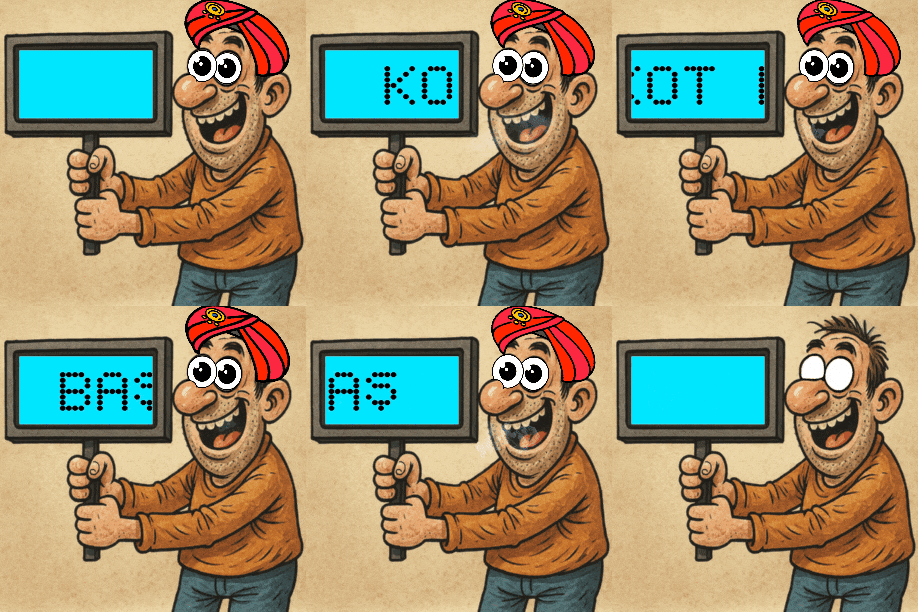













This animation can be used in Instagram Stories, Discord chats or YouTube community posts.
If you have any great GIF animation ideas, feel free to share them with us by contacting us through our Contact page.